Can Cursor Be Used in China?
The short answer is: Yes, but it can be unstable depending on the network environment.
Cursor is not software that cannot be used in China; the main issue lies in its service architecture.
Why is Cursor Unstable in China?
Cursor’s core capabilities rely on overseas services, including:
- Official website and account system
- AI model interfaces (like Claude, GPT series)
- Real-time code completion and dialogue requests
These services are deployed overseas and require high network quality. Common issues when connecting directly from China include:
- The website loads, but login fails
- Able to log in, but AI does not respond
- Code completion is laggy and delayed
- Sudden disconnections
Thus, many users experience varying levels of performance, primarily due to inconsistent network stability.
What Does It Mean to “Open” vs. “Use”?
Cursor is a tool that requires frequent, real-time requests:
- Each line of code you type triggers a request
- AI completion and context understanding involve continuous calls
- It is very sensitive to latency and packet loss
This explains why some say “the website is accessible, but Cursor is not usable.”
How to Register for Cursor?
The registration process for Cursor is not complicated, but a stable network environment is crucial.
What Do You Need Before Registering?
- A Windows or macOS computer
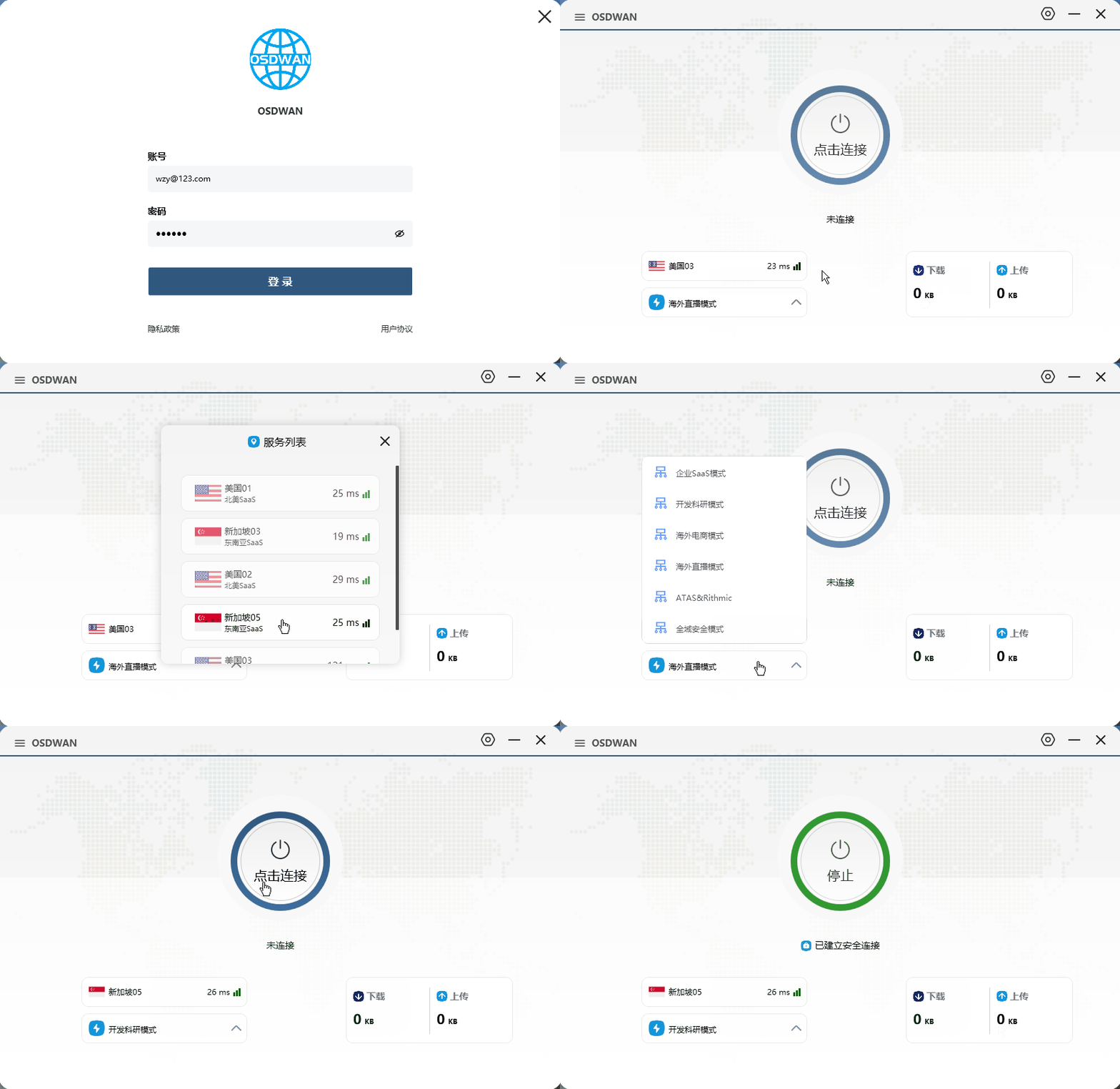
- A stable international network access environment, such as OSDWAN, which ensures reliable usage
- A commonly used email address (Gmail, Outlook, etc.)
If the network is unstable, you may encounter issues like:
- Verification code loading failures
- Blank login pages
- Email verification not being received
Steps to Register for Cursor
-
Log in to OSDWAN and visit the Cursor official website at http://cursor.com/
-
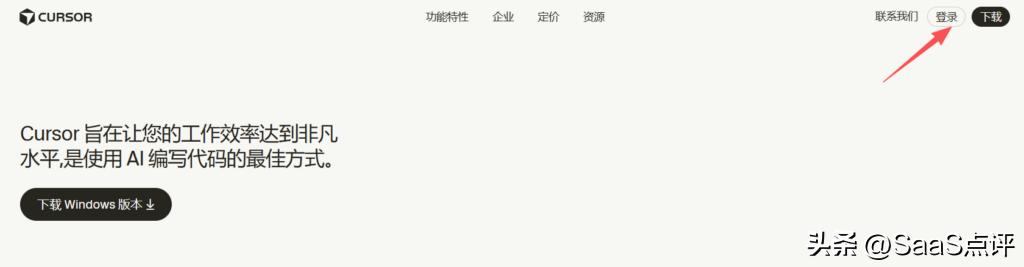
Click on the login button.
-
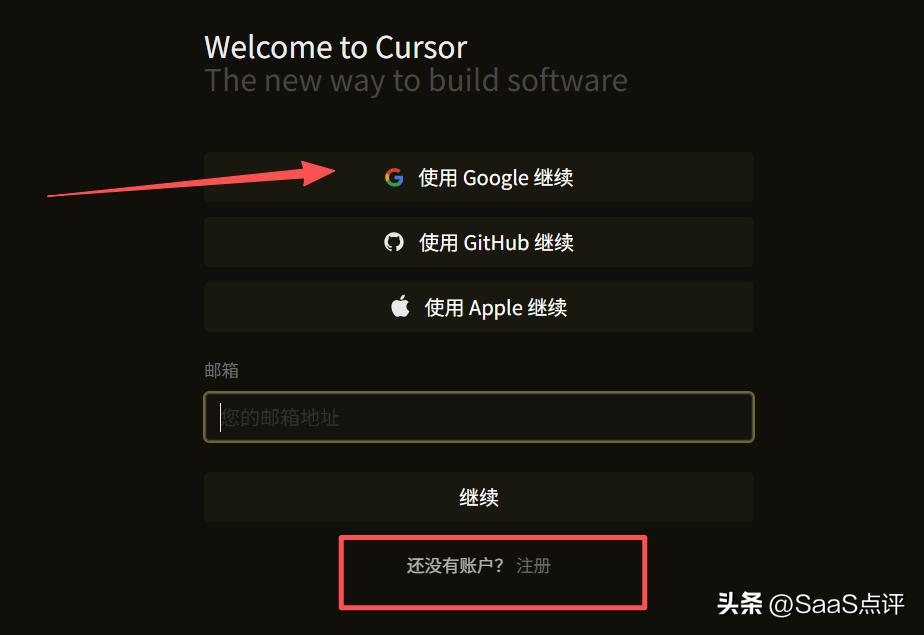
Register using your email or log in with a third-party account. If you don’t have an account, you can click to register a new one.
-
Fill in the required information and click continue.
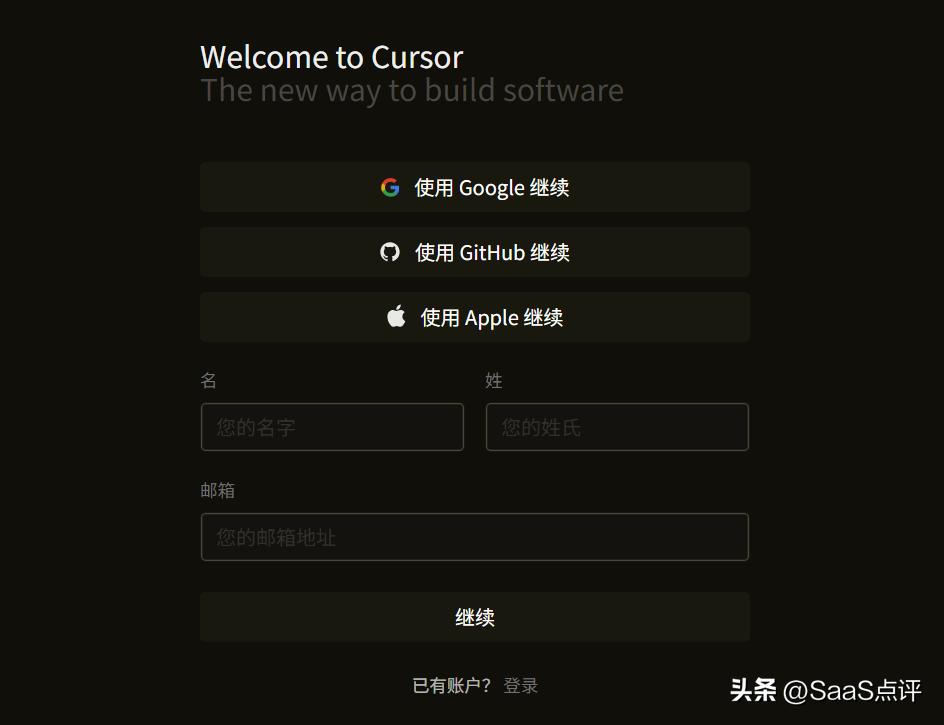
Typically, this process can be completed in a few minutes, especially if you have a Google email.
How to Use Cursor? Who Is It Suitable For?
Basic Usage
The usage logic of Cursor is quite similar to that of VS Code, making it easy to get started:
- Open a local project
- AI automatically understands the project structure
- You can directly ask the AI to modify or generate code
- Supports context analysis across the entire project, not just single files
- If you have used Copilot, you will adapt quickly.
Suitable Developers
Based on practical experience, Cursor is more suitable for:
- Developers who frequently write business code
- Users of mainstream tech stacks like React, Vue, Python, and Java
- Those looking to improve development efficiency rather than just “play with AI”
- Individuals who care about code quality and maintainability
- Less suitable for those who only occasionally write scripts and have low dependency on AI.
Recommendations for Stable Use of Cursor in China
If you are only using it occasionally, you might tolerate sporadic issues; however, if you want to use Cursor as a productivity tool long-term, consider these suggestions:
1. Ensure Long-Term Network Stability
80% of the Cursor experience depends on network quality. An unstable network may lead you to mistakenly think that “Cursor is not usable.”
2. Avoid Frequent Environment Changes
Frequent switching of IPs and network environments can trigger server-side anomaly detection, making it even less stable.
3. Keep Your Development Environment Fixed
Using a fixed device and network environment will significantly improve your experience.
It is recommended to use OSDWAN’s cross-border network dedicated line, which provides stable network access and residential IPs, starting at 690 yuan/year, and supports various connection methods including mobile, computer, and router, with deployment completed on the same day.
Frequently Asked Questions
Q1: Can the free version of Cursor be used in China?
It mainly depends on network stability, and whether it is paid does not matter much.
Q2: What is the difference between Cursor and VS Code + Copilot?
Cursor emphasizes understanding the entire project rather than just code completion.
Q3: Will Cursor replace VS Code?
Not in the short term, but it is more like the next-generation editor for AI programming scenarios.
Q4: Is Cursor suitable for beginners?
Yes, but it is recommended to have some foundational knowledge before using AI assistance to avoid confusion with your own code.
Conclusion
Cursor can be used in China but may be prone to instability. The registration and usage process is straightforward, with the key factor being the network environment. To effectively use Cursor as a primary development tool, you need more stable conditions. For developers who frequently write code, Cursor can significantly enhance efficiency.
Comments
Discussion is powered by Giscus (GitHub Discussions). Add
repo,repoID,category, andcategoryIDunder[params.comments.giscus]inhugo.tomlusing the values from the Giscus setup tool.